Find the file you need.
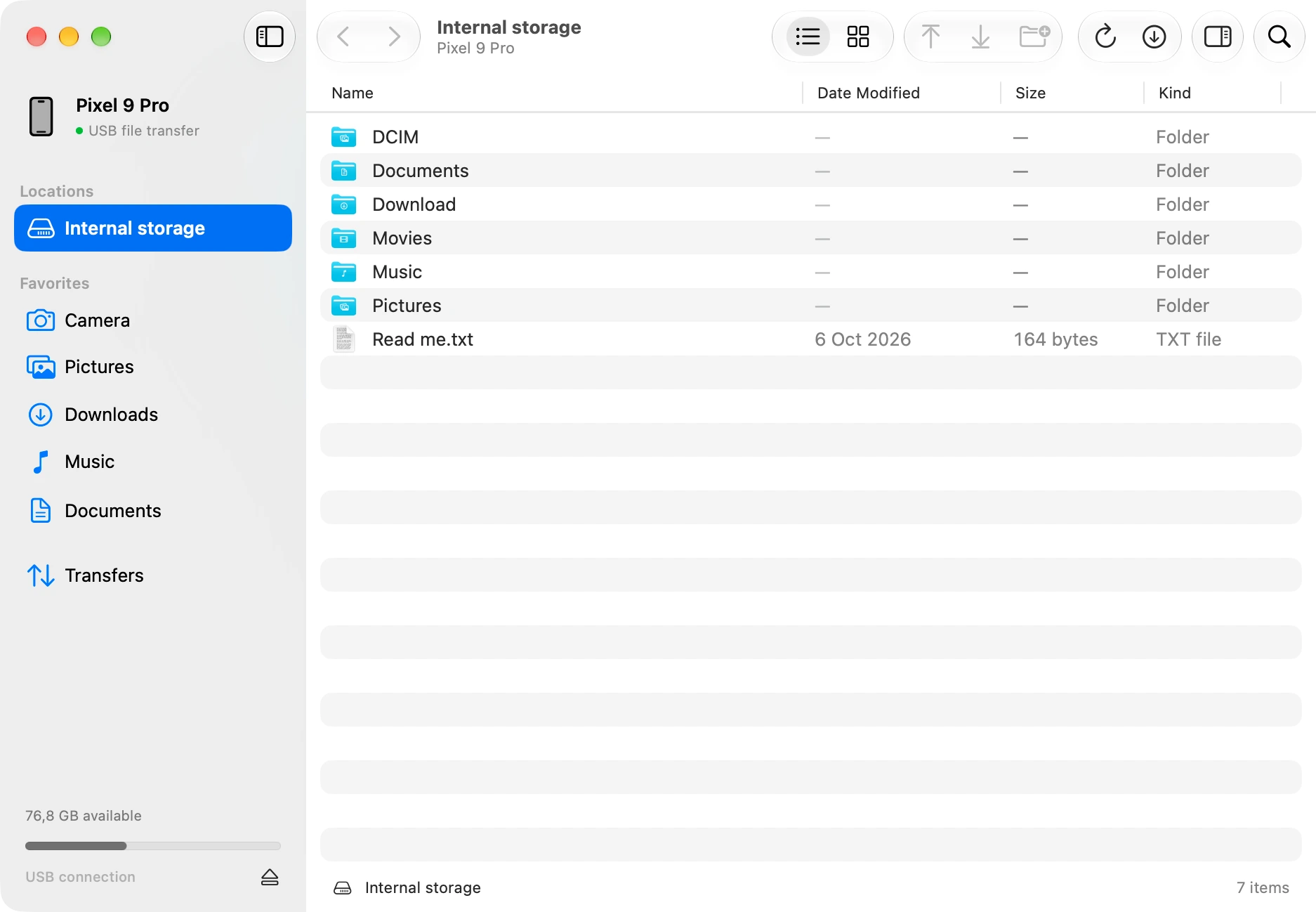
Switch between list and icon views, search the current folder, and preview files with Quick Look.
Folder search · Quick Look · File inspector metopeDownload
A small, native Swift app for your Android files.
Browse, organize, and move them over USB.
macOS 26+ · Apple Silicon · v0.1.0
Free and open source. View on GitHub
Made with Swift & SwiftUI
Native controls, Quick Look, Finder drag and drop, and familiar keyboard shortcuts. Everything you need to manage files, in a small download.
The whole app, installed.
Around 3 MB to download.
From a single photo to a folder of recordings.
Switch between list and icon views, search the current folder, and preview files with Quick Look.
Folder search · Quick Look · File inspectorCreate folders, rename files, and delete what you no longer need. Work with your Android storage from your Mac.
New folders · Rename · DeleteSend a folder to your phone or save it to your Mac. Queue the next transfer, follow progress, and cancel when needed.
Transfer queue · Progress · HistoryExisting files stay intact. Metope won’t overwrite them, and checks downloaded file sizes before saving.
An open project
Metope’s Swift app and MTP engine are open source under the MIT license. Read the code, build your own copy, or help make it better.
No accounts. No tracking. Just your Mac, your phone, and a USB cable.
Explore the project on GitHubGetting connected
Use a USB cable that supports data.
Unlock your device, open its USB settings, and allow file access.
Browse your storage. Drag in files from Finder, or select files to save to your Mac.
Metope uses MTP, the USB file-transfer protocol supported by Android phones and many other Android devices. You need an Apple Silicon Mac with macOS 26 or later.
Check that the cable supports data, unlock your device, and select File Transfer in its USB settings. Quit other Android file-transfer apps, then refresh Metope.
Choose Help → Show Sample Files to browse read-only sample data.